Advanced Triangle Manipulation#
import chainladder as cl
This example demonstrates several advanced data manipulation features of the Triangle class including:
1. Delayed calculation using `virtual_columns`
2. Advanced `groupby` functionality
3. Custom sorting using `loc`
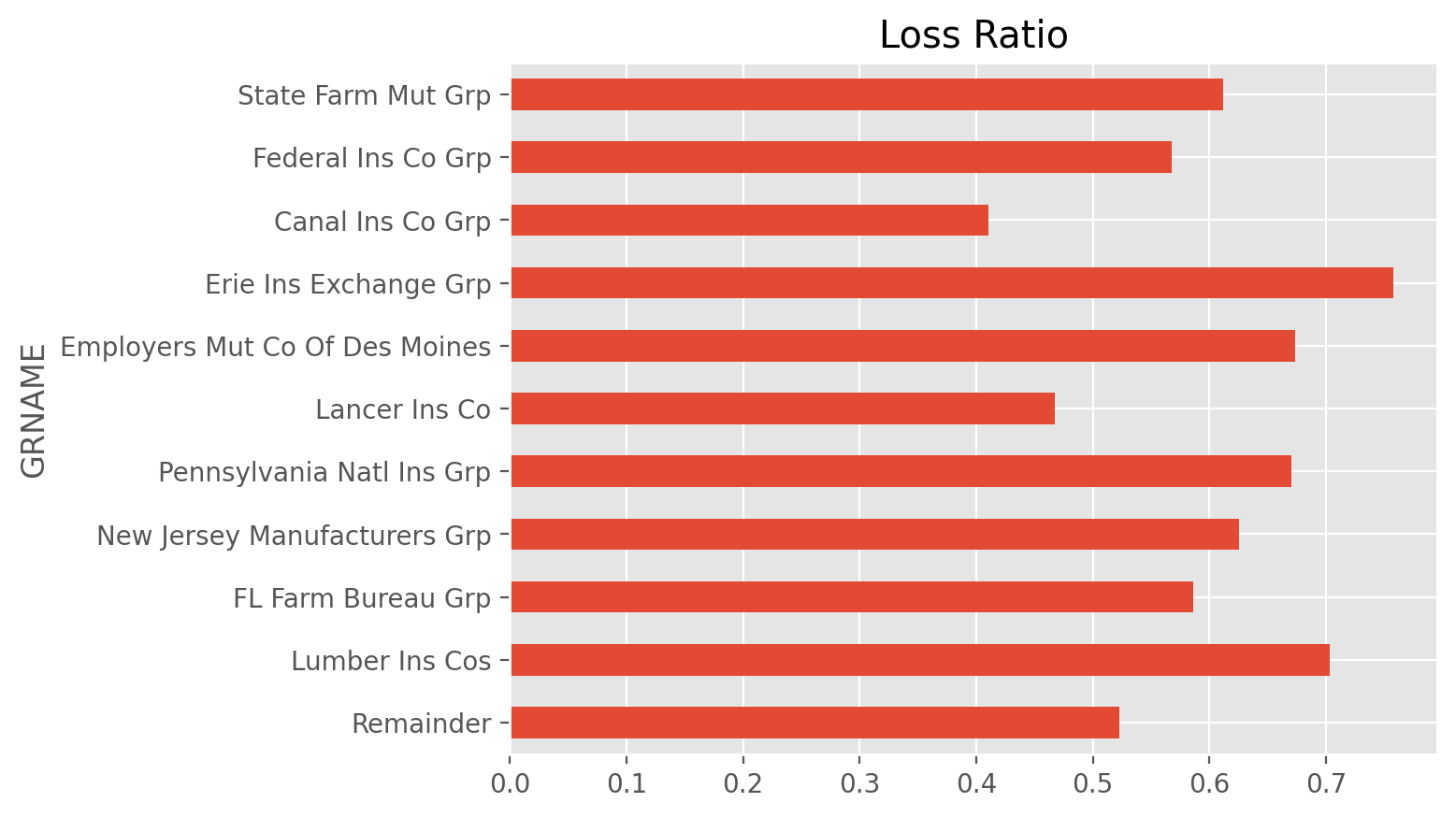
Let’s suppose we want to look at the loss ratios for the top 10 commercial auto carriers (by premium volume) as compared to the rest of the industry.
clrd = cl.load_sample("clrd")
clrd = clrd[clrd["LOB"] == "comauto"]

# Create a loss ratio virtual column
clrd["LossRatio"] = lambda clrd: clrd["IncurLoss"] / clrd["EarnedPremDIR"]

# Identify the largest companies (by premium) for 1997
top_10 = clrd["EarnedPremDIR"].groupby("GRNAME").sum().latest_diagonal
top_10 = top_10.loc[..., "1997", :].to_frame().nlargest(10)

# Group any companies together that are not in the top 10
clrd = clrd.groupby(
    clrd.index["GRNAME"].map(lambda x: x if x in top_10.index else "Remainder")
).sum()

# Sort by company volume, but keep Remainder as last entry
clrd = clrd.loc[top_10.index.to_list() + ["Remainder"]].iloc[::-1]